211 lines
8.9 KiB
Markdown
211 lines
8.9 KiB
Markdown
<p align="center">
|
|
<img src="https://raw.githubusercontent.com/hackiftekhar/IQKeyboardManager/master/Demo/Resources/icon.png" alt="Icon"/>
|
|
</p>
|
|
<H1 align="center">IQKeyboardManager</H1>
|
|
<p align="center">
|
|
<img src="https://img.shields.io/github/license/hackiftekhar/IQKeyboardManager.svg"
|
|
alt="GitHub license"/>
|
|
|
|
|
|
[](https://travis-ci.org/hackiftekhar/IQKeyboardManager)
|
|
|
|
|
|
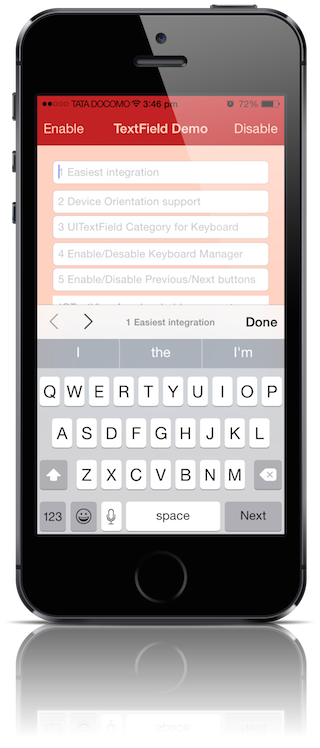
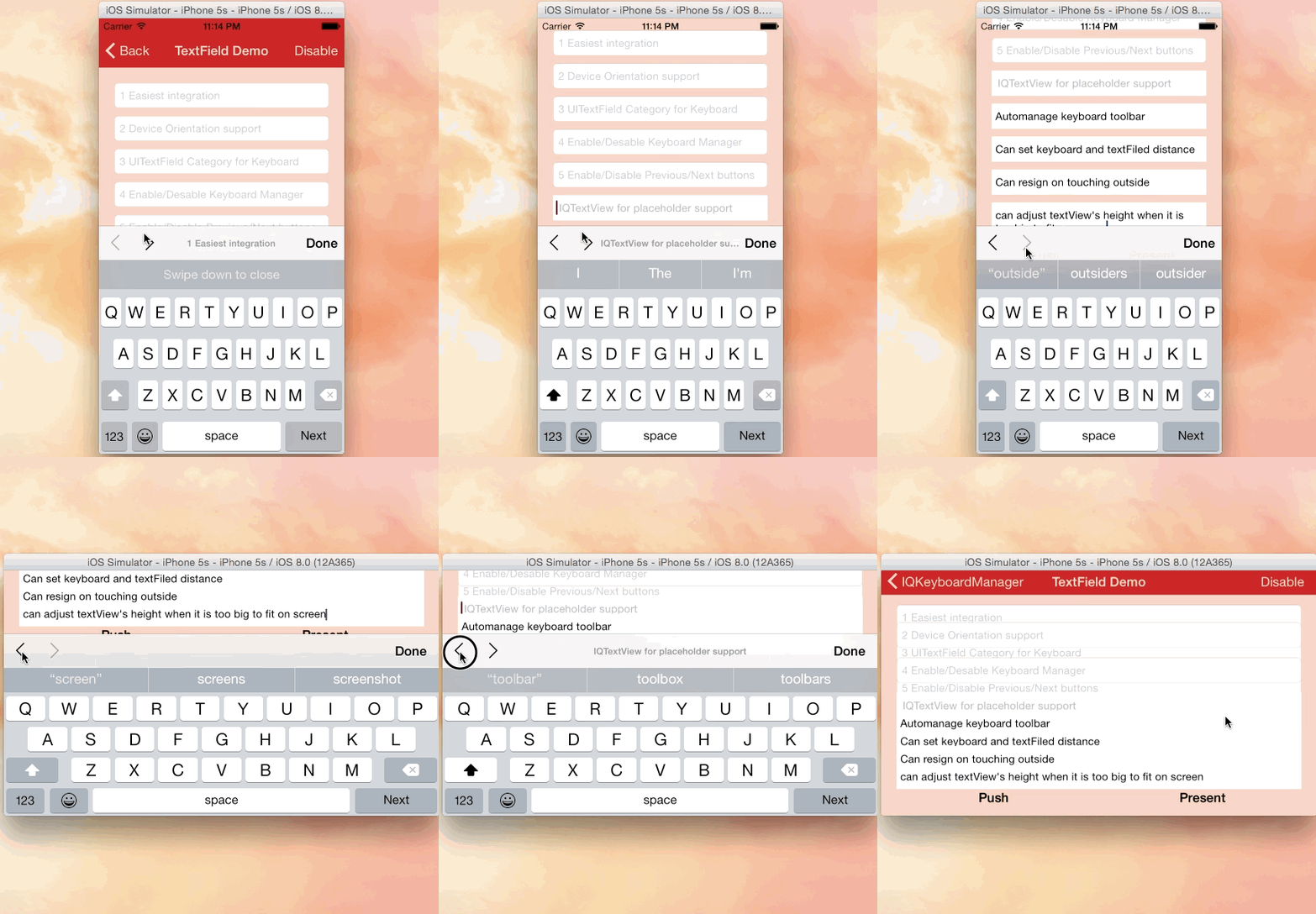
Often while developing an app, We ran into an issues where the iPhone keyboard slide up and cover the `UITextField/UITextView`. `IQKeyboardManager` allows you to prevent issues of the keyboard sliding up and cover `UITextField/UITextView` without needing you to enter any code and no additional setup required. To use `IQKeyboardManager` you simply need to add source files to your project.
|
|
|
|
|
|
#### Key Features
|
|
|
|
1) `**CODELESS**, Zero Lines Of Code`
|
|
|
|
2) `Works Automatically`
|
|
|
|
3) `No More UIScrollView`
|
|
|
|
4) `No More Subclasses`
|
|
|
|
5) `No More Manual Work`
|
|
|
|
6) `No More #imports`
|
|
|
|
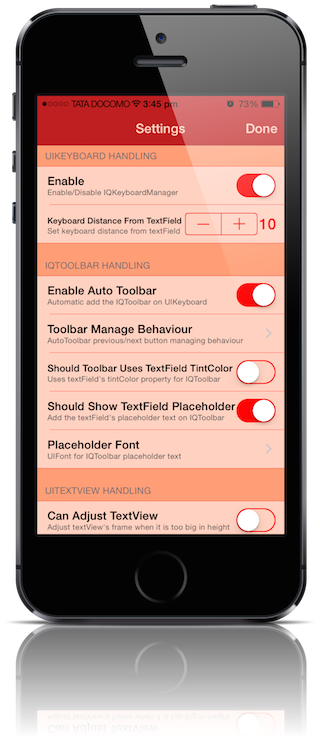
`IQKeyboardManager` works on all orientations, and with the toolbar. There are also nice optional features allowing you to customize the distance from the text field, add the next/previous done button as a keyboard UIToolbar, play sounds when the user navigations through the form and more.
|
|
|
|
|
|
## Screenshot
|
|
[](http://youtu.be/6nhLw6hju2A)
|
|
[](http://youtu.be/6nhLw6hju2A)
|
|
|
|
## GIF animation
|
|
[](http://youtu.be/6nhLw6hju2A)
|
|
|
|
## Video
|
|
|
|
<a href="http://youtu.be/WAYc2Qj-OQg" target="_blank"><img src="http://img.youtube.com/vi/WAYc2Qj-OQg/0.jpg"
|
|
alt="IQKeyboardManager Demo Video" width="480" height="360" border="10" /></a>
|
|
|
|
## Tutorial video by @rebeloper ([#1135](https://github.com/hackiftekhar/IQKeyboardManager/issues/1135))
|
|
|
|
@rebeloper demonstrated two videos on how to implement **IQKeyboardManager** at it's core:
|
|
|
|
<a href="https://www.youtube.com/playlist?list=PL_csAAO9PQ8aTL87XnueOXi3RpWE2m_8v" target="_blank"><img src="https://raw.githubusercontent.com/hackiftekhar/IQKeyboardManager/master/Screenshot/ThirdPartyYoutubeTutorial.jpg"
|
|
alt="Youtube Tutorial Playlist"/></a>
|
|
|
|
https://www.youtube.com/playlist?list=PL_csAAO9PQ8aTL87XnueOXi3RpWE2m_8v
|
|
|
|
## Warning
|
|
|
|
- **If you're planning to build SDK/library/framework and wants to handle UITextField/UITextView with IQKeyboardManager then you're totally going on wrong way.** I would never suggest to add **IQKeyboardManager** as **dependency/adding/shipping** with any third-party library, instead of adding **IQKeyboardManager** you should implement your own solution to achieve same kind of results. **IQKeyboardManager** is totally designed for projects to help developers for their convenience, it's not designed for **adding/dependency/shipping** with any **third-party library**, because **doing this could block adoption by other developers for their projects as well(who are not using IQKeyboardManager and implemented their custom solution to handle UITextField/UITextView thought the project).**
|
|
- If **IQKeyboardManager** conflicts with other **third-party library**, then it's **developer responsibility** to **enable/disable IQKeyboardManager** when **presenting/dismissing** third-party library UI. Third-party libraries are not responsible to handle IQKeyboardManager.
|
|
|
|
## Requirements
|
|
[]()
|
|
|
|
| | Language | Minimum iOS Target | Minimum Xcode Version |
|
|
|------------------------|----------|--------------------|-----------------------|
|
|
| IQKeyboardManager | Obj-C | iOS 8.0 | Xcode 8.2.1 |
|
|
| IQKeyboardManagerSwift | Swift | iOS 8.0 | Xcode 8.2.1 |
|
|
| Demo Project | | | Xcode 9.3 |
|
|
|
|
**Note**
|
|
- 3.3.7 is the last iOS 7 supported version.
|
|
|
|
#### Swift versions support
|
|
|
|
| Swift | Xcode | IQKeyboardManagerSwift |
|
|
|-------------------|-------|------------------------|
|
|
| 4.2, 4.0, 3.2, 3.0| 10.0 | >= 6.0.4 |
|
|
| 4.0, 3.2, 3.0 | 9.0 | 5.0.0 |
|
|
| 3.1 | 8.3 | 4.0.10 |
|
|
| 3.0 (3.0.2) | 8.2 | 4.0.8 |
|
|
| 2.2 or 2.3 | 7.3 | 4.0.5 |
|
|
| 2.1.1 | 7.2 | 4.0.0 |
|
|
| 2.1 | 7.2 | 3.3.7 |
|
|
| 2.0 | 7.0 | 3.3.3.1 |
|
|
| 1.2 | 6.3 | 3.3.1 |
|
|
| 1.0 | 6.0 | 3.3.2 |
|
|
|
|
Installation
|
|
==========================
|
|
|
|
#### Installation with CocoaPods
|
|
|
|
[](http://cocoadocs.org/docsets/IQKeyboardManager)
|
|
|
|
***IQKeyboardManager (Objective-C):*** IQKeyboardManager is available through [CocoaPods](http://cocoapods.org), to install
|
|
it simply add the following line to your Podfile: ([#9](https://github.com/hackiftekhar/IQKeyboardManager/issues/9))
|
|
|
|
```ruby
|
|
pod 'IQKeyboardManager' #iOS8 and later
|
|
|
|
pod 'IQKeyboardManager', '3.3.7' #iOS7
|
|
```
|
|
|
|
***IQKeyboardManager (Swift):*** IQKeyboardManagerSwift is available through [CocoaPods](http://cocoapods.org), to install
|
|
it simply add the following line to your Podfile: ([#236](https://github.com/hackiftekhar/IQKeyboardManager/issues/236))
|
|
|
|
*Swift 4.2, 4.0, 3.2, 3.0 (Xcode 9)*
|
|
|
|
```ruby
|
|
pod 'IQKeyboardManagerSwift'
|
|
```
|
|
|
|
*Or you can choose version you need based on Swift support table from [Requirements](README.md#requirements)*
|
|
|
|
```ruby
|
|
pod 'IQKeyboardManagerSwift', '5.0.0'
|
|
```
|
|
|
|
In AppDelegate.swift, just import IQKeyboardManagerSwift framework and enable IQKeyboardManager.
|
|
|
|
```swift
|
|
import IQKeyboardManagerSwift
|
|
|
|
@UIApplicationMain
|
|
class AppDelegate: UIResponder, UIApplicationDelegate {
|
|
|
|
var window: UIWindow?
|
|
|
|
func application(application: UIApplication, didFinishLaunchingWithOptions launchOptions: [NSObject: AnyObject]?) -> Bool {
|
|
|
|
IQKeyboardManager.shared.enable = true
|
|
|
|
return true
|
|
}
|
|
}
|
|
```
|
|
|
|
#### Installation with Carthage
|
|
|
|
[Carthage](https://github.com/Carthage/Carthage) is a decentralized dependency manager that builds your dependencies and provides you with binary frameworks.
|
|
|
|
You can install Carthage with [Homebrew](http://brew.sh/) using the following command:
|
|
|
|
```bash
|
|
$ brew update
|
|
$ brew install carthage
|
|
```
|
|
|
|
To integrate `IQKeyboardManger` or `IQKeyboardManagerSwift` into your Xcode project using Carthage, specify it in your `Cartfile`:
|
|
|
|
```ogdl
|
|
github "hackiftekhar/IQKeyboardManager"
|
|
```
|
|
|
|
Run `carthage` to build the frameworks and drag the appropriate framework (`IQKeyboardManager.framework` or `IQKeyboardManagerSwift.framework`) into your Xcode project according to your need. Make sure to add only one framework and not both.
|
|
|
|
|
|
#### Installation with Source Code
|
|
|
|
[]()
|
|
|
|
|
|
|
|
***IQKeyboardManager (Objective-C):*** Just ***drag and drop*** `IQKeyboardManager` directory from demo project to your project. That's it.
|
|
|
|
***IQKeyboardManager (Swift):*** ***Drag and drop*** `IQKeyboardManagerSwift` directory from demo project to your project
|
|
|
|
In AppDelegate.swift, just enable IQKeyboardManager.
|
|
|
|
```swift
|
|
@UIApplicationMain
|
|
class AppDelegate: UIResponder, UIApplicationDelegate {
|
|
|
|
var window: UIWindow?
|
|
|
|
func application(application: UIApplication, didFinishLaunchingWithOptions launchOptions: [NSObject: AnyObject]?) -> Bool {
|
|
|
|
IQKeyboardManager.shared.enable = true
|
|
|
|
return true
|
|
}
|
|
}
|
|
```
|
|
|
|
Migration Guide
|
|
==========================
|
|
- [IQKeyboardManager 6.0.0 Migration Guide](https://github.com/hackiftekhar/IQKeyboardManager/wiki/IQKeyboardManager-6.0.0-Migration-Guide)
|
|
|
|
Other Links
|
|
==========================
|
|
|
|
- [Known Issues](https://github.com/hackiftekhar/IQKeyboardManager/wiki/Known-Issues)
|
|
- [Manual Management Tweaks](https://github.com/hackiftekhar/IQKeyboardManager/wiki/Manual-Management)
|
|
- [Properties and functions usage](https://github.com/hackiftekhar/IQKeyboardManager/wiki/Properties-&-Functions)
|
|
|
|
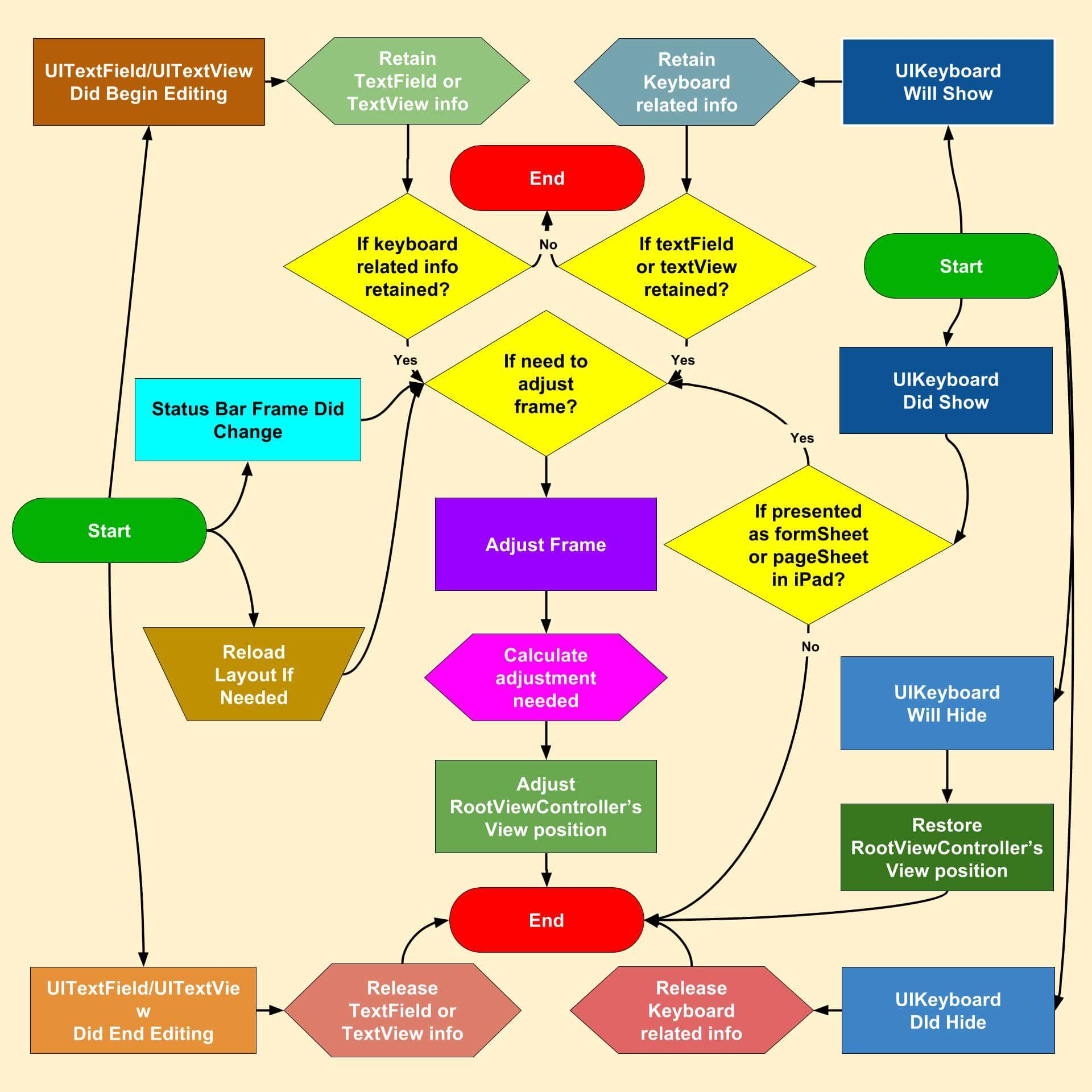
## Flow Diagram
|
|
[](https://raw.githubusercontent.com/hackiftekhar/IQKeyboardManager/master/Screenshot/IQKeyboardManagerFlowDiagram.jpg)
|
|
|
|
If you would like to see detailed Flow diagram then see [Detailed Flow Diagram](https://raw.githubusercontent.com/hackiftekhar/IQKeyboardManager/v3.3.0/Screenshot/IQKeyboardManagerCFD.jpg).
|
|
|
|
|
|
LICENSE
|
|
---
|
|
Distributed under the MIT License.
|
|
|
|
Contributions
|
|
---
|
|
Any contribution is more than welcome! You can contribute through pull requests and issues on GitHub.
|
|
|
|
Author
|
|
---
|
|
If you wish to contact me, email at: hack.iftekhar@gmail.com
|